
Product Analytics
Identify consenting users, find their events and inspect connected Web and request activity
Product Analytics
Open Analytics → Product analytics to understand actions inside your application. People lets you find a signed-in user by user ID, email or customer organization ID, then inspect their retained activity across product events, Web pageviews and instrumented HTTP requests.
Three complementary views
| View | Measures | Collection |
|---|---|---|
| Traffic | Requests, errors, bandwidth and performance, including APIs, assets and bots | Automatic server-side request logs |
| Web analytics | Browser pageviews, estimated visitors and sessions | Optional first-party browser script |
| Product analytics | Application events, identified users and conversion journeys | Explicit, consented instrumentation |
A single visit can produce many requests and several product events. The counters are intentionally different. Correlation supplies links between records; it does not combine the counters or prove someone is human.
Organization-level Analytics offers Traffic and a project chooser for Product analytics. Web analytics is available within individual projects. Old Product analytics URLs redirect to the corresponding Analytics view.
Configure collection and privacy
Only organization owners and admins can change collection settings or publish keys. In Product analytics → Settings:
- Enable product event collection and register the custom event names and properties you intend to collect.
- Add the exact origins allowed to use browser publish keys. Keep server keys private.
- Enable identified users if you want to explicitly associate events with a stable application user ID, email or customer organization ID.
- Separately enable cross-view correlation if you want consenting browser activity linked to Web pageviews and instrumented same-origin requests.
Both identity and correlation default off. They are independent of the optional verified Ploy Auth actors setting. Product data follows the configured retention period, at most 30 days. Browser identifiers and identity labels are not authentication credentials.
Identify a user after sign-in
The @meetploy/analytics SDK currently ships in the Ploy workspace; its first npm publication is a separate release prerequisite. The HTTP contract below is available without installing the SDK.
import { createAnalyticsClient } from "@meetploy/analytics/client";

const analytics = createAnalyticsClient({
	endpoint: "https://analytics.example/v1/product-analytics/ingest",
	publicKey: "pa_pub_YOUR_BROWSER_KEY",
	correlate: true,
});

// Only after obtaining consent for your intended collection and identification.
analytics.setConsent(true);
analytics.track("signup.started");

// Run after your application has signed the user in.
analytics.identify("user_123", {
	email: "person@example.com",
	organizationId: "customer_org_456",
});
analytics.track("signup.completed");

// Explicitly instrument application API calls, not document/OAuth navigation.
await analytics.fetch("/api/checkout", { method: "POST" });
await analytics.flush();

// On logout: clear queued old-user data, identity labels and shared context.
analytics.reset();
// On consent withdrawal: stop collection and clear in-memory state.
analytics.setConsent(false);
Call identify() after restoring an authenticated session on a new page load as well as after interactive sign-in: the SDK's anonymous context is memory-only.
Use a stable application user ID as the first argument. Email and organization ID are optional, and either or both can be supplied. An organization ID is a grouping/filter attribute, not a user ID: people in the same organization must have distinct user IDs. Repeated identify() calls can update traits. Omitted traits preserve their stored values. Changing the distinct user ID resets the anonymous context; still call reset() explicitly on logout.
Identity is never read automatically from the page, browser storage or authentication cookies. The SDK stores its anonymous context only in memory. A new page load creates a new anonymous context; an explicit later identify() call can connect consenting contexts to a browser-asserted profile within retention. Once a profile is server-asserted, browser claims cannot change it, attach new contexts or extend its expiry. To link another browser context to that profile, authenticate the user on your server and send server.identify(anonymousId, userId, traits) using that browser's consented anonymous context. Calls before consent do not collect identity.
Browser keys are public. A browser-asserted identity can be spoofed and must never authorize application access. Derive trusted user identity from your authenticated server session and use a secret server key when stronger application assertions are needed. Verified Ploy Auth actors remain a separate signed authentication flow.
HTTP integration without the SDK
Send events to your configured API endpoint with a publish key, explicit consent and an opaque anonymous context. $identify is reserved for profile updates and does not require a custom event schema. Other event names and properties must be registered in your collection settings.
// Keep this context only for the consenting browser lifetime. Rotate on logout.
const anonymousId = crypto.randomUUID();
await fetch("https://analytics.example/v1/product-analytics/ingest", {
	method: "POST",
	credentials: "omit",
	redirect: "error",
	headers: {
		"Content-Type": "application/json",
		Authorization: "Bearer pa_pub_YOUR_BROWSER_KEY",
	},
	body: JSON.stringify({
		version: 1,
		consent: true,
		events: [
			{
				id: crypto.randomUUID(),
				name: "$identify",
				version: 1,
				timestamp: new Date().toISOString(),
				anonymousId,
				identity: {
					distinctId: "user_123",
					email: "person@example.com",
					organizationId: "customer_org_456",
				},
			},
		],
	}),
});
Only run this after the relevant consent. Browser ingestion requires an allowed exact origin. Use pa_srv_ keys only from servers, never browsers. Server events can include the same explicit identity object and the consented anonymous context; webhook producers must retain that context themselves when relating a later purchase to an earlier visit.
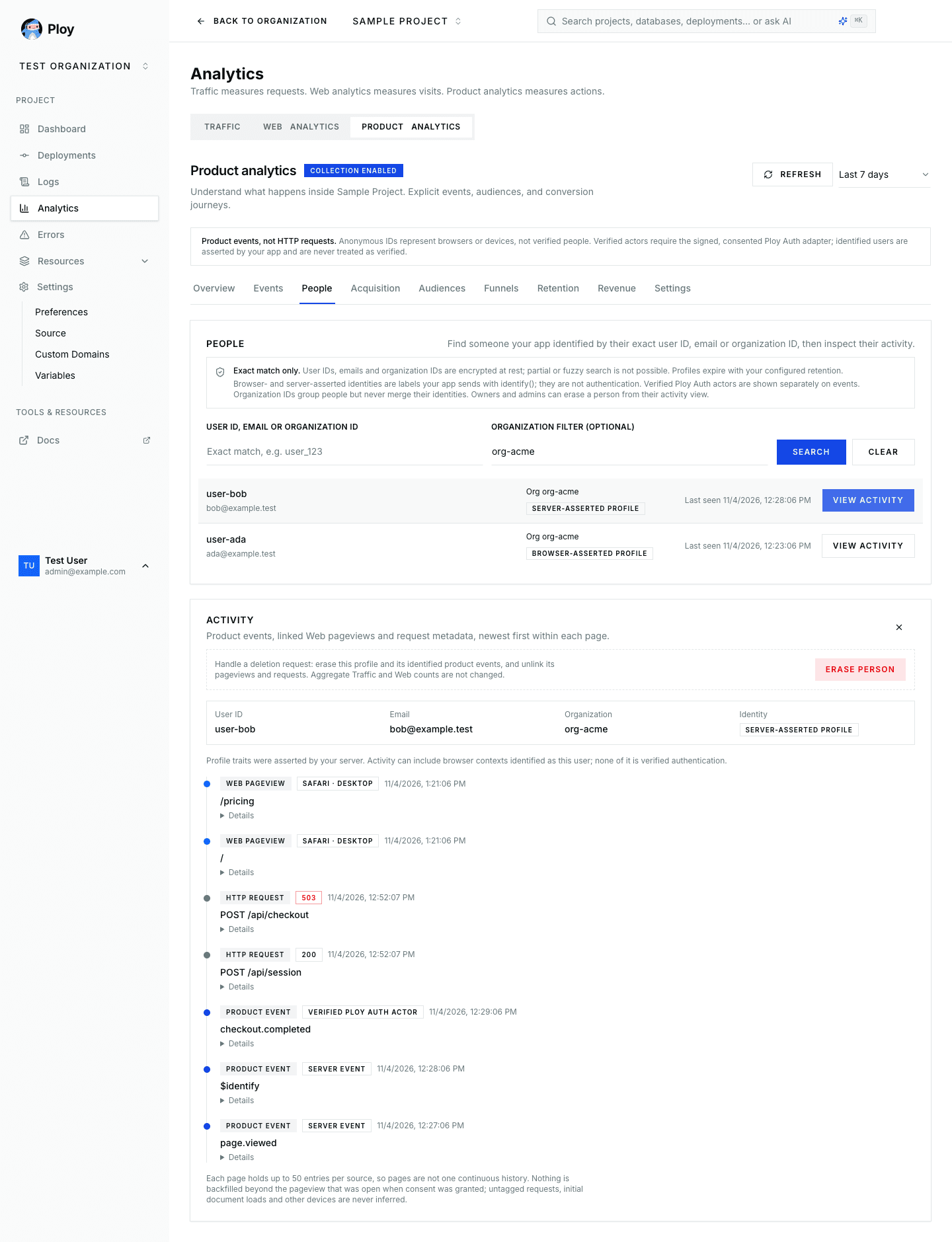
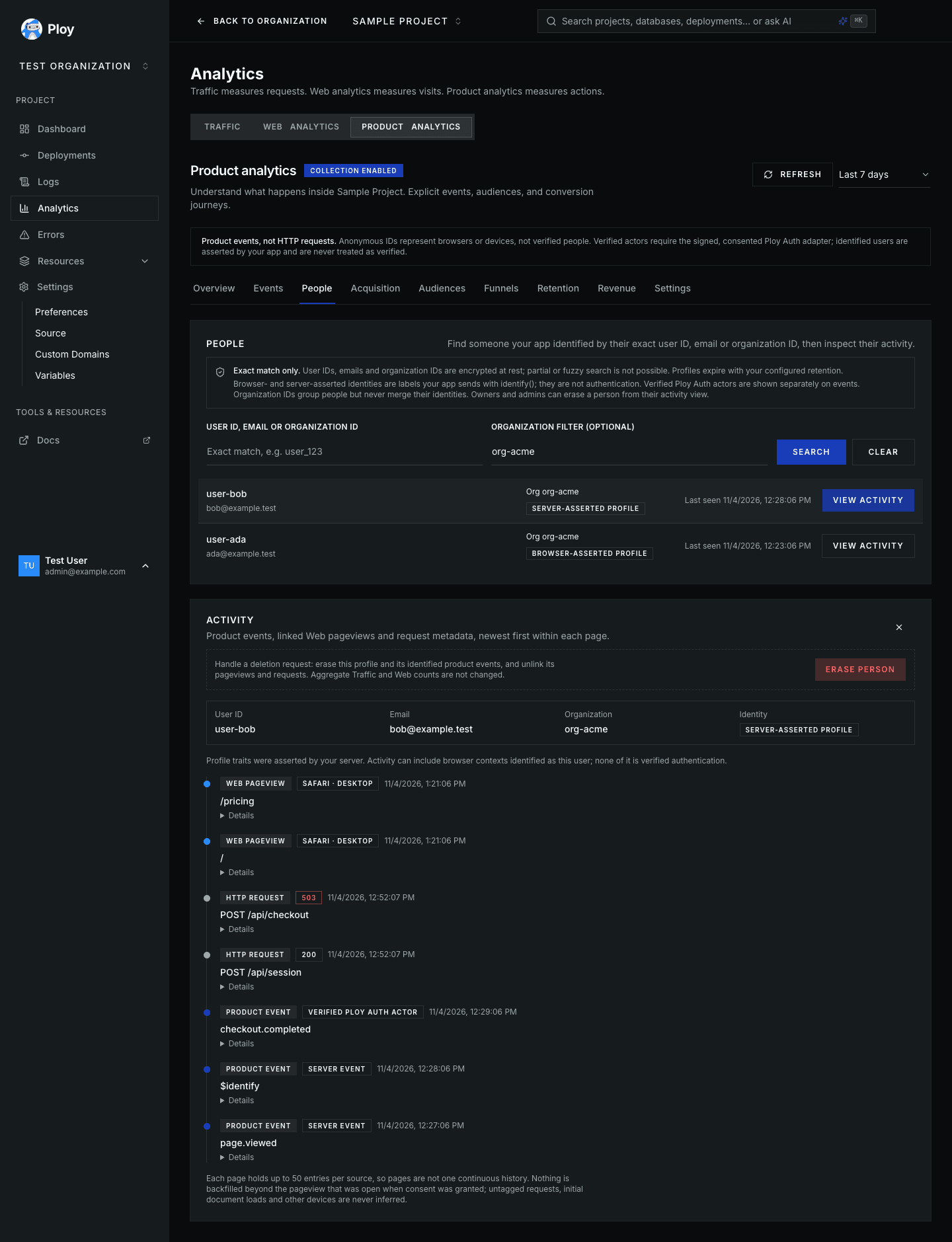
Find people and inspect events
In People, enter an exact user ID, email or organization ID and choose Search people. Email lookup is case-insensitive. The optional Organization filter narrows results, so an email and organization can be searched together. Personal-data fields are encrypted at rest; lookup uses project-keyed hashes, not a global email index. Identity is never merged merely because two profiles share an email or organization.
| Field | Meaning |
|---|---|
| User | The application-provided stable user ID |
| The explicitly provided email, if present | |
| Organization | The application's customer organization ID, if present |
| Identity source | Browser-asserted or server-asserted labels, not proof of authentication |
| Last seen | The most recent retained profile update |
| View activity | Open the user's activity journey for the selected time range |
The journey shows product event names and properties, linked Web pageviews, and instrumented HTTP request method, path, status, duration and request/trace identifiers. Open Details for a record. Time-range filters apply to activity; the People list shows retained profiles. Queries and pagination are bounded; narrow the period if a journey exceeds the query limit.
Connect Web visits and request traffic
Enable Web analytics separately and enable Product analytics correlation. With SDK correlate: true and consent granted, the tracker can link the current pageview and subsequent pageviews to the shared context. Web analytics → Recent pageviews & journeys lets you inspect these links from the browser-traffic side.
- Only explicitly instrumented, same-origin
analytics.fetch()calls carry shared request context. Ordinaryfetch(), assets, the initial document load, cross-origin requests and navigations are not silently instrumented. - The wrapper uses the ordinary, untrusted
Ploy-Analytics-Contextheader. It is visible to your application worker, so do not forward it to third parties. It is not a trusted platform header or an authentication credential. - Redirects are rejected by the wrapper rather than directly forwarding context to another origin. Application fetch credentials/referrer options otherwise keep their normal behavior; the SDK does not read or create tracking cookies.
- No IP/user-agent matching is used to join people or request records. The Web visitor estimate remains separate from the explicit identity.
- The browser context is random and memory-only; there is no automatic cross-device tracking. Global Privacy Control and Do Not Track suppress correlation.
- Opting into correlation can link the pageview for the currently open page, even if that one pageview was recorded earlier under lightweight Web analytics. Earlier visits are not reconstructed or joined by IP. If your policy requires collection and association to begin only after consent, disable automatic injection and load the manual Web tracker only after consent.
- Activities already collected with consent in the same anonymous SDK context can become associated when you explicitly identify that context. Server-asserted profiles require the server to authorize each context; a public browser key cannot attach one on its own.
An unlinked pageview shows Anonymous estimate and does not imply that all surrounding traffic belongs to that visitor. Counts can differ because of blocked scripts, missing consent, missing instrumentation, expiry and network delivery.
Retention and deletion
Profile traits, aliases and correlation links expire according to the product analytics retention setting. Expired data is not returned while background cleanup removes it. Request logs follow their own operational retention: removing an analytics identity or correlation link is not the same as deleting operational logs. Web analytics continues to follow its own retention and deletion controls.
Turning identified users or cross-view correlation off stops new writes for that feature. Previously stored history remains browsable and erasable until it expires. Disabling a feature is not a deletion request.
Owners and admins can choose Erase person from an activity view to remove the profile, currently associated identified product events and correlation links. Erase identified people in Settings removes all identified profiles and their currently associated data while keeping collection configuration. Both require typing DELETE. Aggregate Traffic and Web counts are not changed.
When a browser-asserted profile is promoted to a server-asserted one, untrusted browser contexts are detached unless the server explicitly authorizes them. These detached contexts remain pseudonymous and are not reached by a later person erasure; they follow their own expiry. Use full product analytics deletion if you need to remove all retained product events rather than only the currently associated identity.
Reset and consent withdrawal clear local state and stop future SDK delivery; they do not retract requests already committed by the server. Erasure does not blacklist future uploads: stop identifying/collecting for that person in your application before erasing if collection must not resume. Full product analytics deletion remains owner/admin-only, requires typing DELETE, and removes configuration, keys, events, profiles and correlation links. See Web analytics for its separate deletion controls.
How is this guide?
Last updated on