
Workflows
Build durable, multi-step workflows with automatic retries and state persistence.
Workflows
Ploy Workflows let you define long-running, multi-step processes that survive failures. Each step is durably persisted and automatically retried on errors.
Use a workflow for anything with several dependent steps where a failure halfway through must not lose progress: order processing, onboarding sequences, data pipelines, or agent runs. For fire-and-forget background work, a Queue is simpler.
This page covers the binding and its runtime API. For framework-specific setup, see the Next.js workflows guide and the Ploy Start workflows guide.
Configuration
Add a workflow binding in your ploy.yaml:
kind: worker
build: pnpm build
out: dist
workflow:
  ORDER_FLOW: order_processing
The key (ORDER_FLOW) is the binding name. The value (order_processing) must match the workflow function name in your code.
Configuring Retries
By default, each step is retried up to 3 times on failure with exponential backoff. You can customize the default retry count per workflow in ploy.yaml:
workflow:
  ORDER_FLOW:
    name: order_processing
    retries: 5 # Retry failed steps up to 5 times
  FAST_FLOW:
    name: quick_task
    retries: 0 # No retries — fail immediately on error
You can also override retries per step using step options:
const result = await step.run(
	"call-external-api",
	async () => {
		return await callAPI();
	},
	{ retries: 10 }, // Override: retry this step up to 10 times
);
Run ploy types to generate TypeScript types:
import type { WorkflowBinding } from "@meetploy/types";

export interface Env {
	ORDER_FLOW: WorkflowBinding;
}
Basic Example
export default {
	async fetch(request, env) {
		// Trigger a workflow execution
		const { executionId } = await env.ORDER_FLOW.trigger({
			orderId: "123",
			amount: 99.99,
		});

		return Response.json({ executionId });
	},

	workflows: {
		order_processing: {
			handler: async ({
				input,
				step,
			}: WorkflowContext<PloyEnv, { orderId: string; amount: number }>) => {
				// Step 1: Validate
				const order = await step.run("validate", async () => {
					return { valid: true, orderId: input.orderId };
				});

				// Step 2: Charge payment
				const payment = await step.run("charge", async () => {
					return { paymentId: `pay_${Date.now()}` };
				});

				// Step 3: Fulfill
				const fulfillment = await step.run("fulfill", async () => {
					return { trackingNumber: `TRACK_${Date.now()}` };
				});

				return { orderId: order.orderId, paymentId: payment.paymentId };
			},
		},
	},
} satisfies Ploy;
Inputs and Outputs
Each workflow execution stores two layers of data:
- Execution input: the object you pass to
trigger() - Execution output: the final value returned by the workflow handler
Each step can also record its own snapshot data:
- Step input: optional metadata you pass through
step.run(..., { input }) - Step output: the value returned from the step callback
const validation = await step.run(
	"validate",
	async () => {
		return {
			valid: true,
			orderId: input.orderId,
			amountCents: Math.round(input.amount * 100),
		};
	},
	{
		input: {
			orderId: input.orderId,
			amount: input.amount,
		},
	},
);

return {
	orderId: validation.orderId,
	amountCents: validation.amountCents,
};
Use input in the step options when you want the dashboard to show the exact
payload that reached a specific step. The step return value becomes the step
output snapshot.
Workflow Binding API
Trigger
Start a new workflow execution:
const { executionId } = await env.ORDER_FLOW.trigger({ orderId: "123" });Get Status
Check execution status:
const execution = await env.ORDER_FLOW.getExecution(executionId);
// { status: "running" | "completed" | "failed", result?: any }
Cancel
Cancel a running execution:
await env.ORDER_FLOW.cancel(executionId);Step API
step.run
Execute a named step. Results are persisted, so re-runs skip completed steps:
const result = await step.run("step-name", async () => {
	return { data: "value" };
});
A workflow runs one step at a time. After a step finishes, Ploy stops the workflow and runs it again from the top: completed steps return their saved results immediately, and the next step runs. A long workflow therefore never holds the runtime for longer than one step, and it can run for hours as long as each step is short.
Because the handler re-runs on every step, keep side effects inside steps. Code between steps runs again on each replay, and step names must be unique and the same on every run.
handler: async ({ input, step }) => {
	// Runs on every replay: keep it cheap and side-effect free.
	const orderId = input.orderId;

	// Runs once; replays return the saved result.
	const charge = await step.run("charge", async () => chargeCard(orderId));
	await step.run("email", async () => sendReceipt(orderId, charge.id));
},
Don't wrap step.run in a try/catch that swallows every error. Ploy ends the current run by throwing from the next step, and it treats a workflow that catches this as still paused.
step.sleep
Pause execution for a duration (in milliseconds):
await step.sleep(5000); // Wait 5 secondsA sleeping workflow uses no CPU and holds no connection: Ploy records when the sleep ends and resumes the workflow then, so sleeps can last minutes or days. Time spent sleeping doesn't count toward the workflow's timeout.
Steps that throw are automatically retried up to 3 times by default
(configurable in ploy.yaml or per-step via options). Use unique step names
to ensure idempotency.
Error Handling
Each workflow definition supports an optional onError callback that runs when the handler throws. Use it for cleanup, alerting, or releasing locks:
workflows: {
	order_processing: {
		handler: async ({ input, step }) => {
			// ... workflow steps
		},
		onError: async (error, { env }) => {
			console.error("Workflow failed:", error.message);
			// Release locks, send alerts, clean up resources
		},
	},
},
The onError hook runs before the workflow is marked as failed. If onError itself throws, the error is ignored and the workflow still fails normally.
Workflow UI
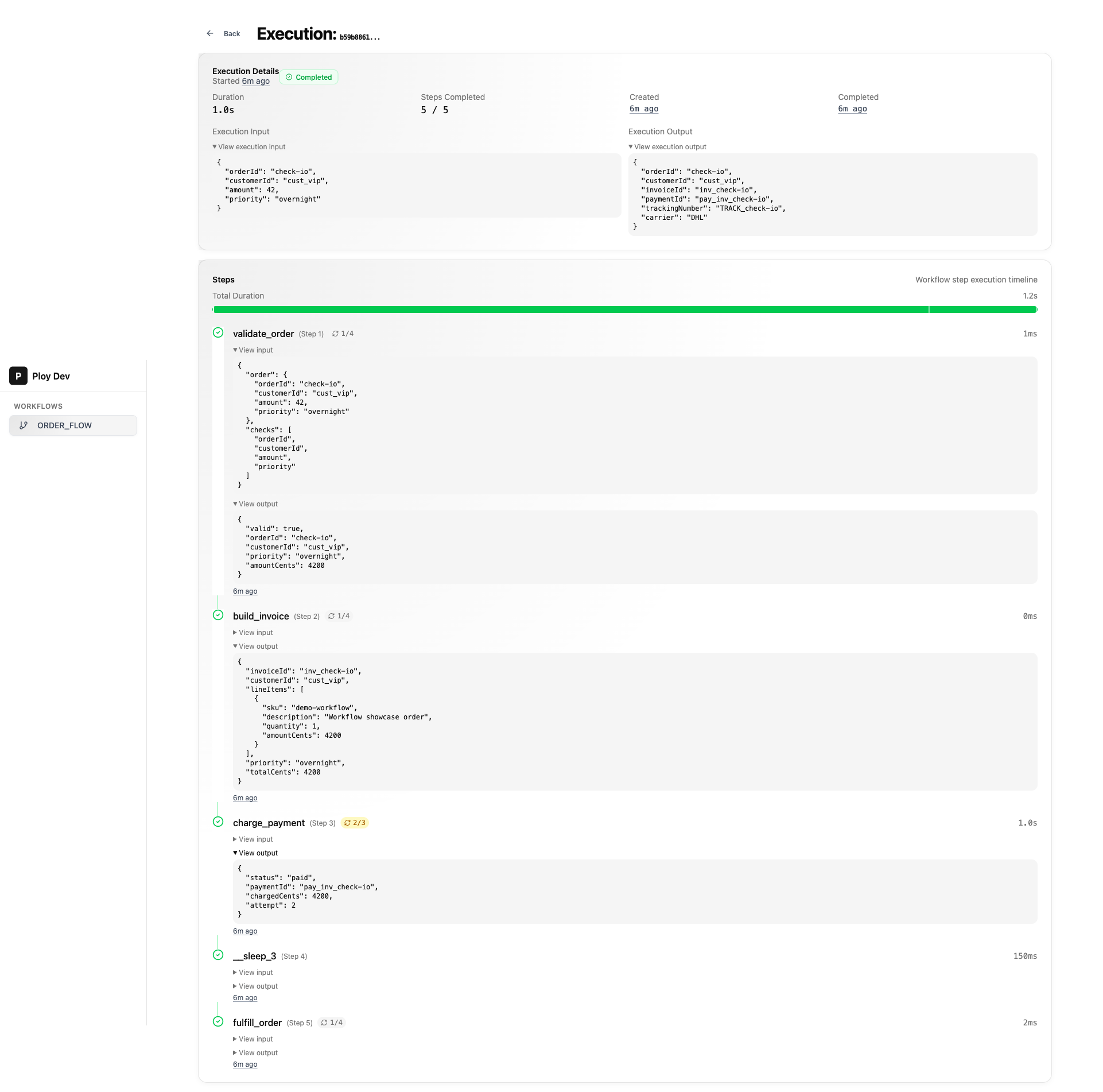
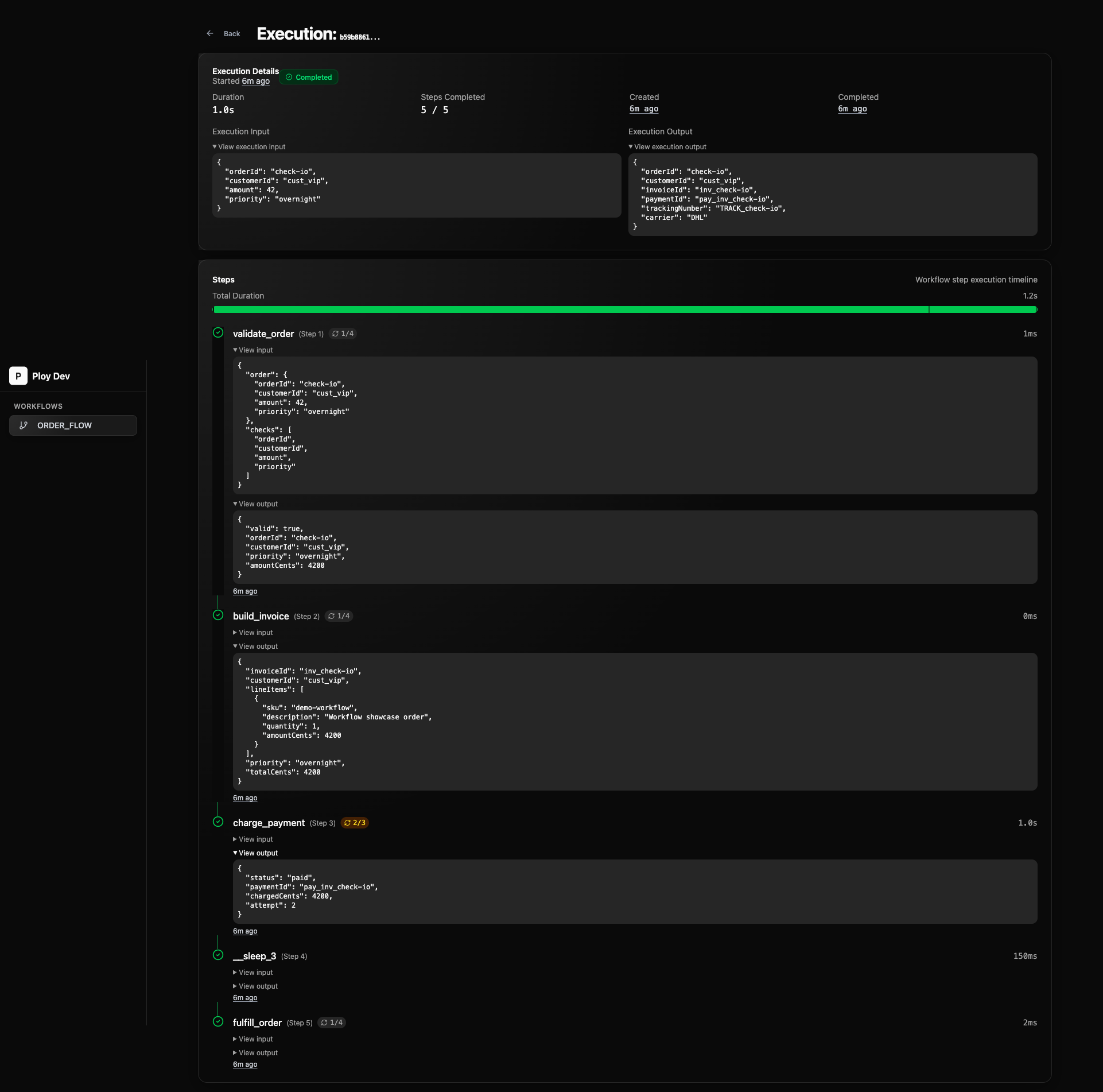
The local dashboard lets you inspect both execution-level state and per-step progress after you trigger a workflow.
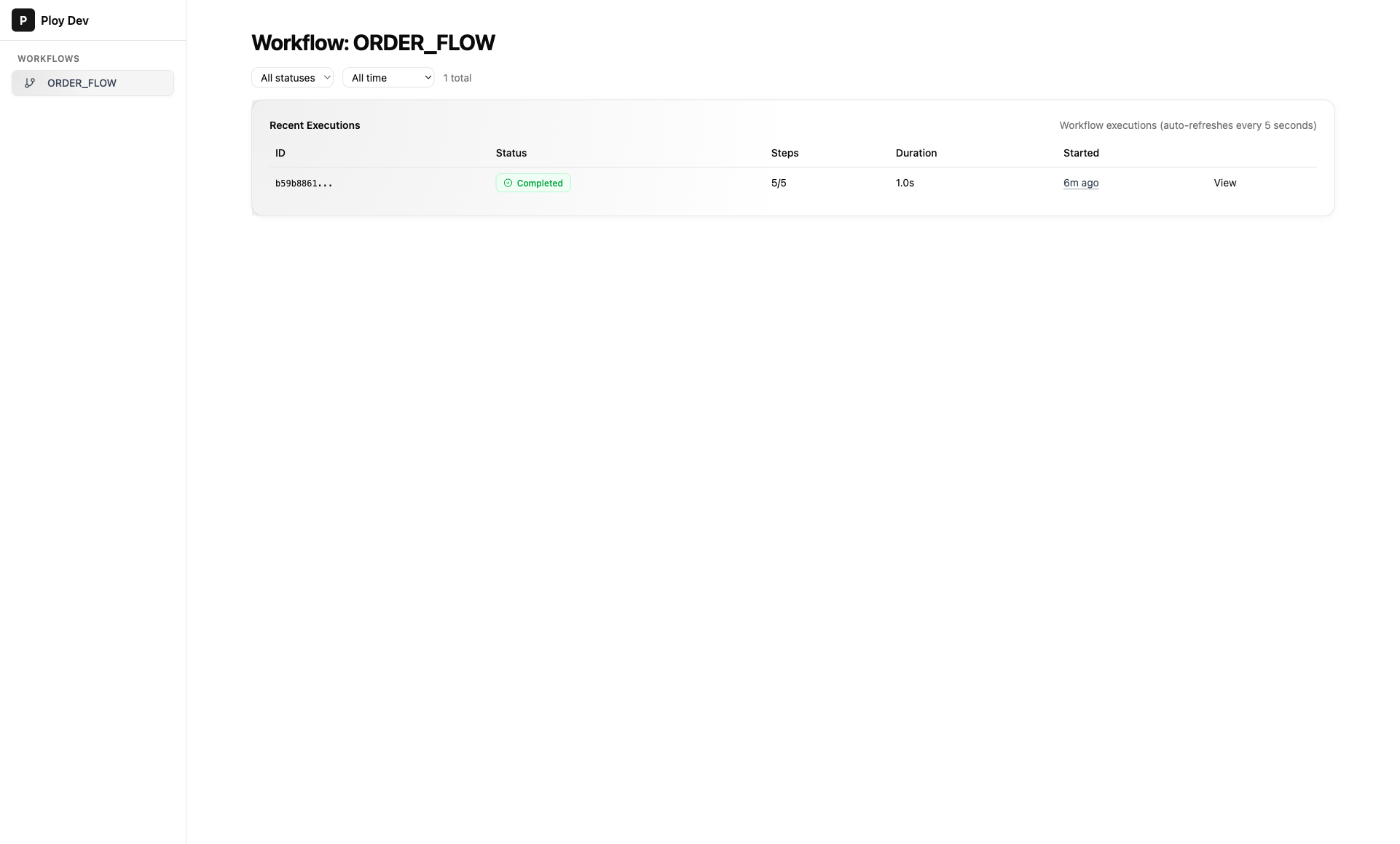
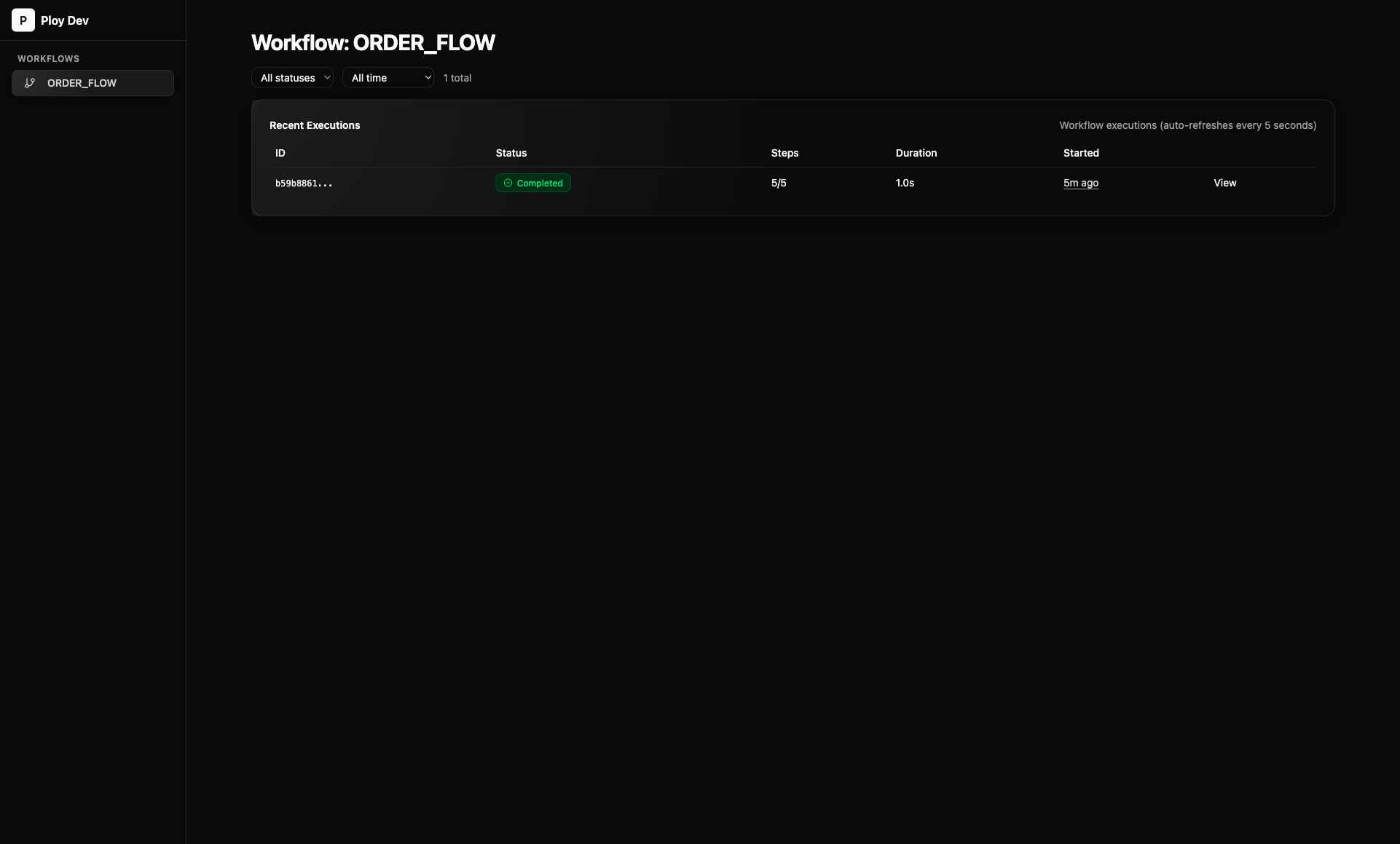
The execution detail view is where execution input/output, step input/output, retry attempts, and timing become visible. This example was triggered from examples/workflow-simple with a custom order payload.
That example now exposes both /trigger for a successful execution and /trigger-failing for a workflow that fails the charge_payment step after all retries, which is useful for inspecting the final failure state and retry history in the UI.
Each step can spend 15 s (Free), 5 min (Pro), or 15 min (Enterprise) of CPU time, depending on your plan. See CPU limits. A project runs up to 2 (Free), 10 (Pro), or 25 (Enterprise) workflow executions at once; other executions wait their turn.
Next Steps
- Next.js workflows guide - Start and observe workflows from a Next.js app
- Ploy Start workflows guide - Typed workflow handlers with step functions
- Agent SDK workflows - Run AI agents as durable workflows
- Queues - Send messages for async processing
- Workers - Learn about Ploy workers
How is this guide?
Last updated on