
Error Alerts
Get an email the first time your project throws a new error
Error Alerts
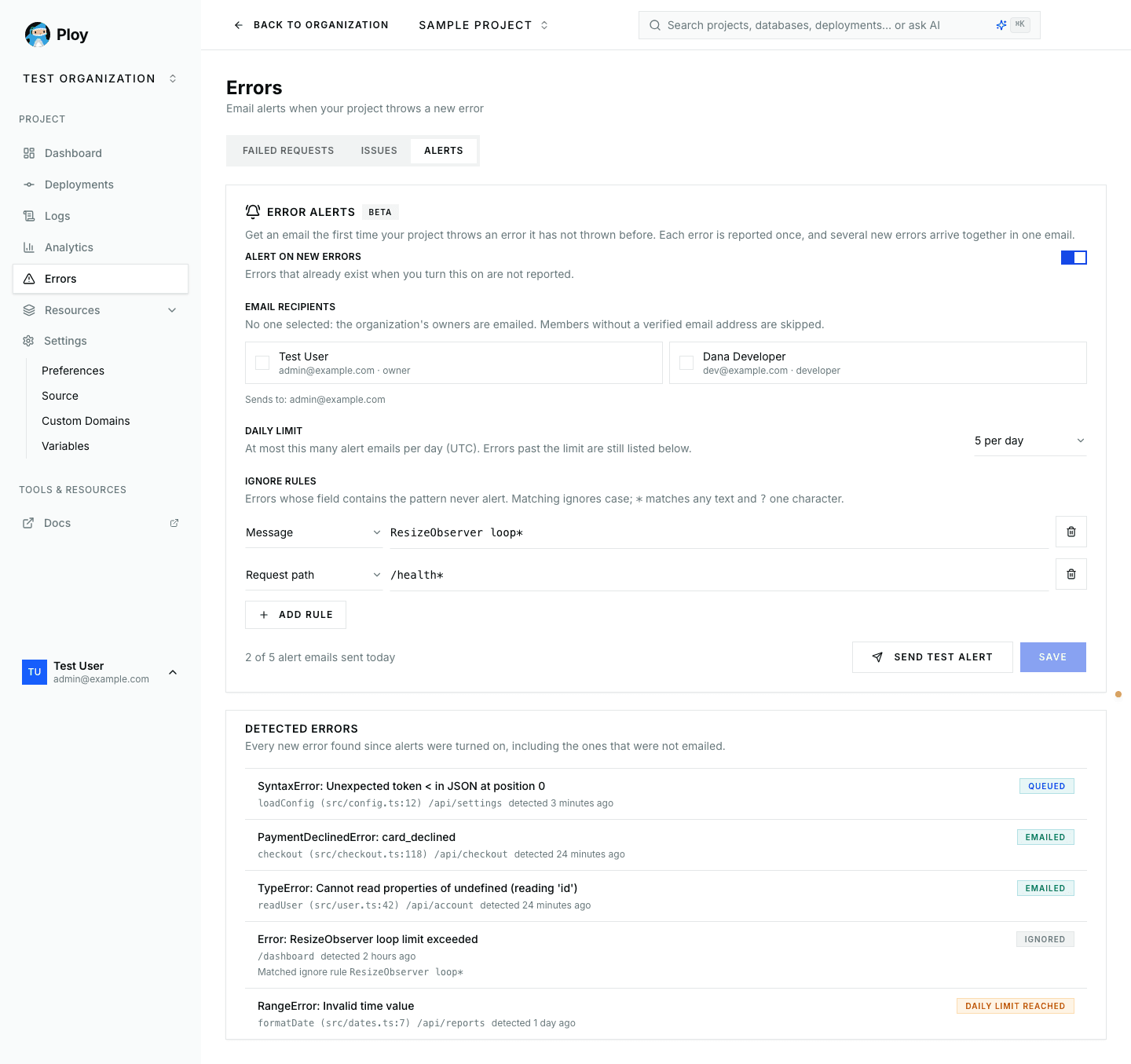
Error alerts email you the first time your project throws an error it has not thrown before, so a bug introduced by a deploy reaches you without watching the logs. Each error is reported once: the same error recurring a thousand times sends nothing more.
Error alerts are in beta. They are off by default for every project and available on every plan.
How errors are detected
Alerts build on the Issues tab of the project's Errors page, which groups errors by where they came from: the error type plus the top frames of your own code in the stack trace, or the message with ids and numbers masked when there is no stack. An error is new when no earlier error of the project had the same group.
- Uncaught exceptions and
console.errorcalls in any deployment of the project count. - Errors the project threw in the 24 hours before you turn alerts on are recorded as known and never reported. Turning alerts off and on again records the errors of that moment as known again.
- Alerts are checked about once a minute from stored logs, never while your requests run, so they add no latency to your project.
- A new error waits up to two minutes for others before its email is sent, so a deploy that breaks several things sends one email listing all of them (the first ten in full, the rest counted).
- Issues have no resolved state yet, so an error that stops and later comes back does not alert again.
Turning alerts on
Open your project's Errors page, choose the Alerts tab, switch on Alert on new errors and click Save. Only organization owners and admins can change alert settings or send a test alert; every member can see them and the list of detected errors.
| Setting | Description |
|---|---|
| Email recipients | Members of the organization to email. With nobody selected, the organization's owners are emailed. Up to 20 members. |
| Daily limit | Alert emails per UTC day, from 1 to 10. Defaults to 5. |
| Ignore rules | Patterns that keep noisy errors out of alerts. Up to 20 rules. |
Alerts go only to organization members with a verified email address. Addresses that bounced or marked earlier mail as spam are skipped.
Click Send test alert to check delivery. The test email counts toward the daily limit.
Daily limit
Each project sends at most its daily limit of alert emails per UTC day, and never more than 10, however many new errors appear. When the limit is reached:
- The last email of the day says so.
- Further new errors are still detected and listed under Detected errors, marked Daily limit reached, but not emailed.
- The next alert email says how many new errors were held back since the previous one.
The limit resets at 00:00 UTC.
Ignore rules
An ignore rule suppresses alerts for errors whose field contains the pattern. Matching ignores case; * matches any text and ? a single character. Patterns are at most 200 characters and are not regular expressions.
| Field | Matched against |
|---|---|
| Message | The error type and message, e.g. TypeError: Failed to fetch |
| Stack trace | The stack frames, one per line, e.g. at handler (src/index.ts:10:5) |
| Request path | The path of the request that threw, e.g. /api/health |
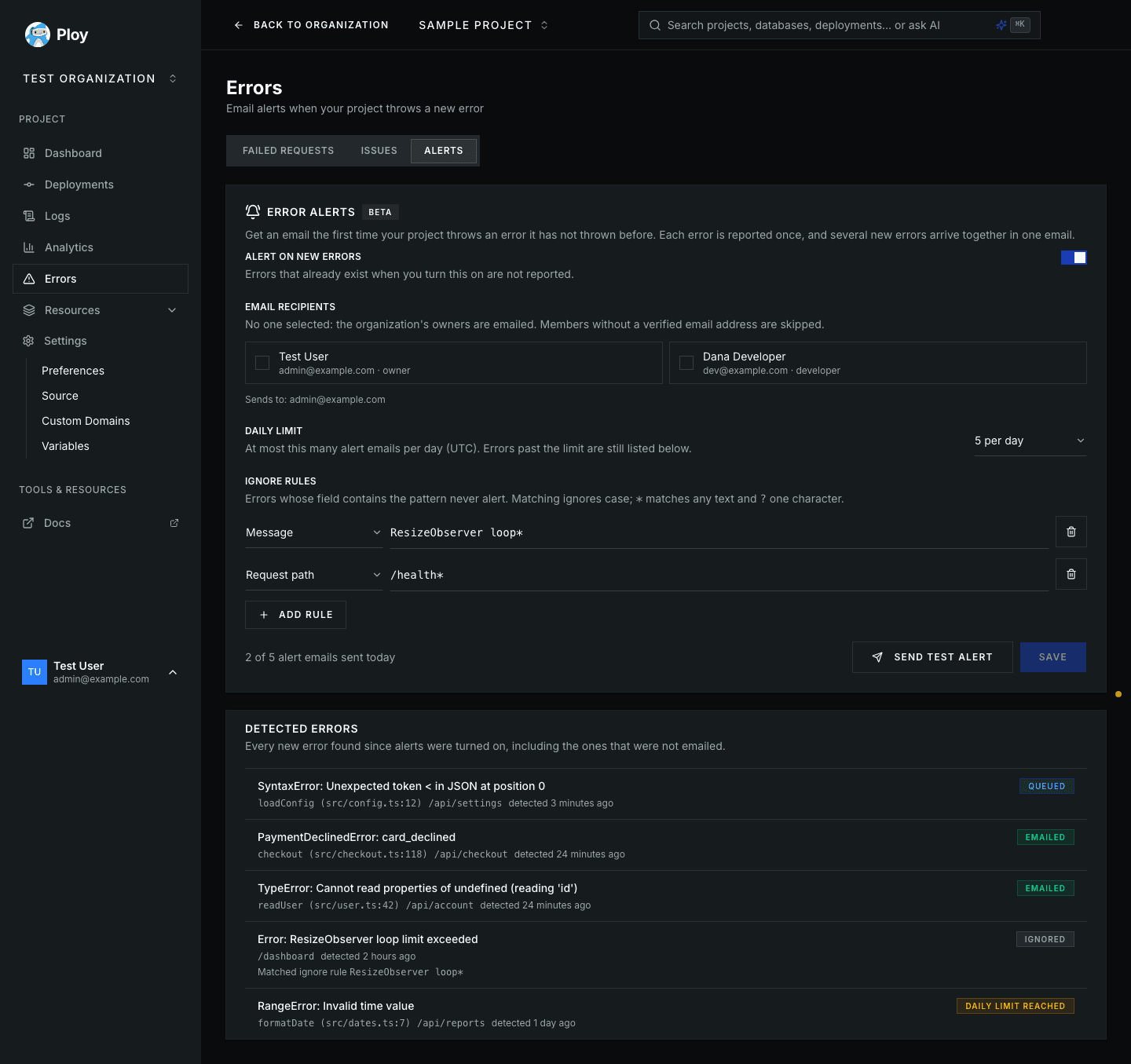
For example, ResizeObserver loop* on Message ignores a common browser noise error, and /health* on Request path ignores errors from health checks. Ignored errors are still listed under Detected errors, marked Ignored. A rule applies to errors detected after it is saved.
Detected errors
The Detected errors list shows every new error found since alerts were turned on, newest first, with what happened to its alert:
| Status | Meaning |
|---|---|
| Queued | Waiting for other new errors or for a retry. |
| Emailed | Included in an alert email. |
| Daily limit reached | Detected after the day's limit was used up; not emailed. |
| Ignored | Matched an ignore rule. |
| Not delivered | The email could not be sent, or no recipient had a verified address. |
A send that the email provider rejects is retried a few times without counting against the limit. A send whose outcome is unknown is never repeated, so you never get the same alert twice.
From the CLI
The same settings are available through ploy api:
# Show the settings
ploy api project error-alerts get <projectId>

# Turn alerts on with a daily limit of 3 and an ignore rule
ploy api project error-alerts set <projectId> --enable --daily-limit 3 \
  --ignore 'message:ResizeObserver loop*'

# Email specific members instead of the owners
ploy api project error-alerts set <projectId> --recipient <userId> --recipient <userId>

# Send a test alert, and list detected errors
ploy api project error-alerts test <projectId>
ploy api project error-alerts history <projectId>
--ignore adds a rule (message, stack or path, a colon, then the pattern) and can be repeated; --clear-ignore removes the existing rules first, and --owner-recipients goes back to emailing the owners.
How is this guide?
Last updated on